5 vs 8 vs 16 vs 24 vs 48 Port Switch: Which Size Do You Actually Need?
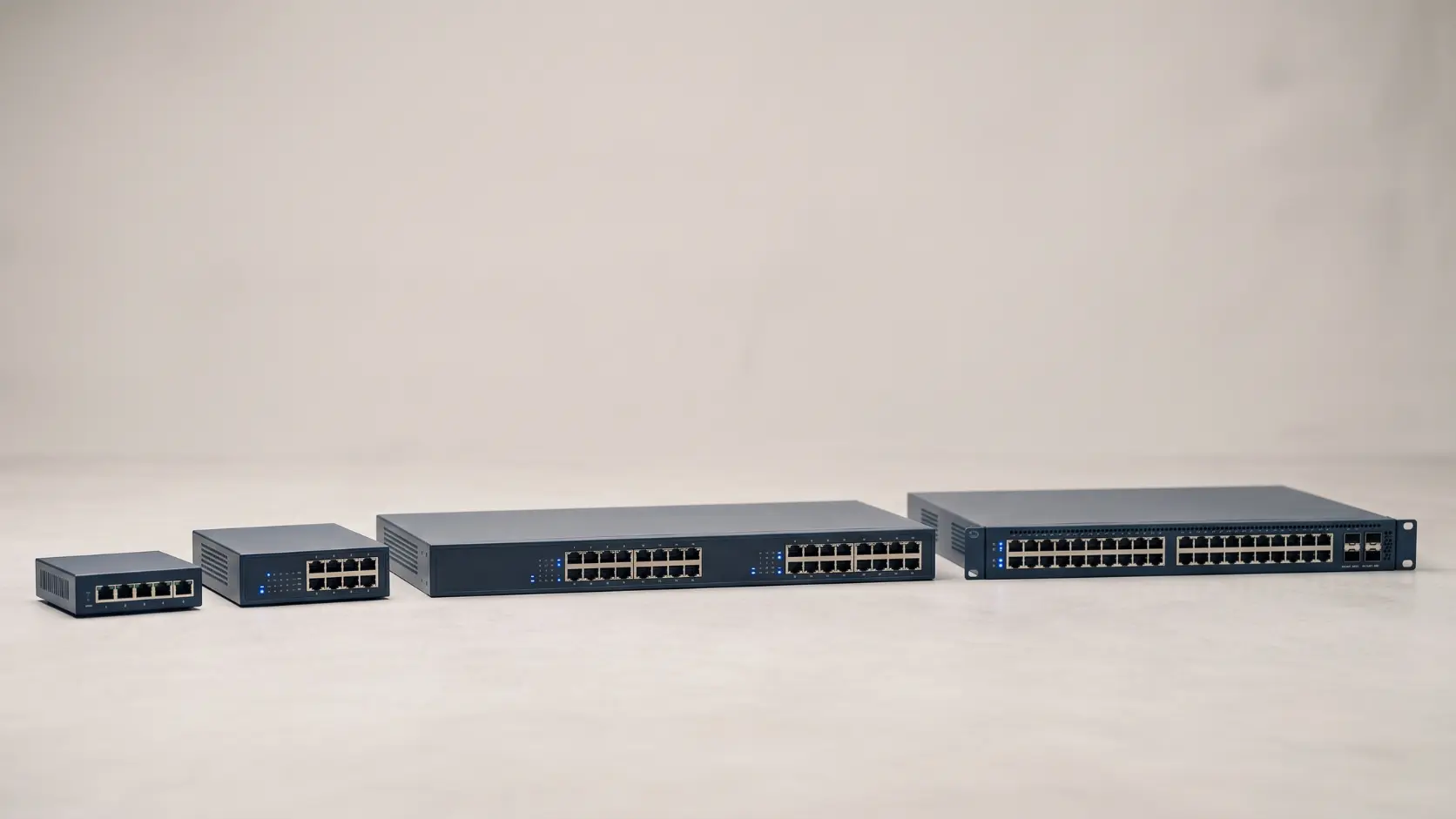
Not sure how many ports your network switch needs? Here's how to size correctly, with real Tenda models matched to home, office, and enterprise setups.
Buying too small a switch means you're back at the store within a year. Buying too large means paying for rack space and ports that sit empty indefinitely. Getting the port count right the first time comes down to one simple exercise: counting your actual devices, honestly, including what you'll add in the near future — not what looks impressively future-proof on the box.
Here's how to size correctly, matched to Tenda's actual unmanaged switch range.
Step 1: Count What You're Actually Connecting
List every device that needs a wired connection right now: computers, printers, network storage, security cameras, access points, smart TVs, gaming consoles. Then add anything you're genuinely likely to add within the next year or two — a second monitor's dock, an additional camera, a new desk in a growing office.
Remember that one port on your switch typically connects back to your router — so a "5-port" switch effectively gives you 4 free ports for devices once that uplink connection is accounted for.
5-Port Switches: Small, Focused Expansion
Tenda S105 (10/100 Mbps) and SG105M (Gigabit) — both offer 5 total ports, meaning 4 available for devices after connecting back to your router.
Best for:
- A small home office needing a handful of extra wired connections
- Adding 3-4 wired devices to an existing router that's run out of ports
- Straightforward, contained expansion where you're confident the device count won't grow much further
8-Port Switches: The Common Sweet Spot
Tenda S108 (10/100 Mbps) and SG108M (Gigabit) — 8 total ports, giving genuine room for a small office or a home with several wired devices plus some growth headroom.
Best for:
- Small offices with several desks needing wired connections
- Homes running multiple devices — a desktop, NAS, smart TV, gaming console, and a couple of security cameras
- Anyone who wants a bit of spare capacity without committing to a much larger switch
This tends to be the most commonly bought size for a reason — it comfortably covers typical small-office and larger-home needs without the cost or physical footprint of a rack-scale switch.
16-Port Switches: Growing Offices and Mid-Sized Deployments
Tenda TEG1016D — 16 Gigabit ports, suited to offices with a dozen or more wired devices, or installations combining several computers with network cameras and access points.
Best for:
- Offices with 10+ wired devices across several desks or departments
- Mid-sized CCTV or access point deployments needing more headroom than an 8-port switch offers
- Environments where you're consolidating multiple smaller switches into one
24-Port Switches: Established Office Infrastructure
Tenda TEG1024D — 24 Gigabit ports, aimed at established office networks or larger deployments where port count is a genuine, ongoing need rather than occasional expansion.
Best for:
- Full office floors with many desks, printers, and shared devices
- Server rooms or network closets acting as the central hub for a business's wired infrastructure
- Deployments already running close to a 16-port switch's capacity and needing real headroom, not just a small bump
48-Port Switches: High-Density, Enterprise-Scale Networking
Tenda TEG1050F — 48 Gigabit ports plus 2 independent SFP uplink slots supporting fiber connections up to 20km, positioned for high-density networking in businesses, campuses, schools, and large surveillance deployments.
This is a genuinely different category from the switches above it — not just "more ports" but a different scale of deployment entirely. Tenda specifically positions the TEG1050F as an alternative to cascading two 24-port switches together, since a single 48-port unit avoids the uplink bandwidth bottleneck that cascading multiple smaller switches can create, while also using less physical rack space and having fewer points of failure. It even includes a basic one-key VLAN function — port isolation between most ports while still allowing communication with the uplink ports — a genuinely useful security feature even without full managed-switch complexity.
Best for:
- Large offices, campuses, schools, or internet cafes needing high-density wired connectivity from one central point
- Large-scale CCTV or surveillance deployments with dozens of cameras
- Any deployment where the fiber uplink's 20km range matters — connecting switches across a large campus or between buildings
Quick Reference Table
| Port Count | Tenda Models | Typical Use Case |
|---|---|---|
| 5 ports | S105, SG105M | Small home office, minor expansion |
| 8 ports | S108, SG108M | Small office, larger home, common sweet spot |
| 16 ports | TEG1016D | Growing office, mid-sized CCTV/AP deployment |
| 24 ports | TEG1024D | Established office infrastructure, server room hub |
| 48 ports | TEG1050F | High-density enterprise, campus, large-scale surveillance |
10/100 Mbps vs Gigabit: Does It Matter for Sizing?
Port count and speed are separate decisions, but worth considering together. The S105 and S108 run at 10/100 Mbps (Fast Ethernet), while the SG105M, SG108M, and the entire TEG series run at full Gigabit speed. For basic wired devices — printers, simple network storage, standard browsing — 10/100 Mbps is often still sufficient. For anything involving larger file transfers, higher-resolution video, or a busier network generally, Gigabit is worth the modest price difference. See our Gigabit vs Fast Ethernet guide for the fuller breakdown.
A Practical Rule: Buy One Size Up From Your Exact Count
If you've counted exactly 7 devices needing wired connections, an 8-port switch technically covers it — but with zero room for the next addition. Buying one size category up from your precise current count (an 8-port switch for 5-6 devices, a 16-port for 10-12) gives sensible headroom without jumping to an unnecessarily large, expensive switch built for a different scale of deployment entirely.
Frequently Asked Questions
Is it better to buy a bigger switch than I need now, or upgrade later?
Some headroom is worth it, since device counts tend to grow. But jumping several size categories beyond your actual near-term need (buying a 48-port switch for an 8-port requirement) wastes money and rack space. One size category up from your current count is usually the sensible balance.
Can I connect multiple switches together if I outgrow one?
Yes, this is common — cascading switches is a standard way to expand capacity. That said, for genuinely high-density needs, a single larger switch (like the TEG1050F) often performs better than cascading several smaller ones, since it avoids the uplink bottleneck that cascading can introduce.
Do I need a 48-port switch for a large home?
Very unlikely — even a large home with extensive smart-device and camera coverage rarely needs more than 16-24 ports. The 48-port TEG1050F is built for genuinely enterprise or campus-scale deployments, not residential use.
What's the difference between a 24-port and 48-port switch beyond just port count?
Beyond raw capacity, a 48-port switch like the TEG1050F is designed to replace what would otherwise require cascading two 24-port switches together, avoiding the bandwidth bottleneck and additional points of failure that cascading introduces — genuinely different engineering, not just double the ports.
How many ports should a small CCTV installation's switch have?
This depends on camera count, but for a small home installation (3-6 cameras), an 8-port switch is often sufficient. For larger installations with a dozen or more cameras plus other devices, a 16-port or 24-port switch gives more appropriate headroom. Note that dedicated PoE switches, not standard networking switches, are typically the right choice for actually powering cameras — see our PoE switch range if your cameras need power delivered over the same cable.
Sizing your switch to your actual device count, with reasonable headroom, avoids both an awkward mid-year upgrade and unnecessary upfront cost. Browse Tenda's full network switch range to find the right port count for your setup.