How Many Access Points Do You Need for Full WiFi Coverage?
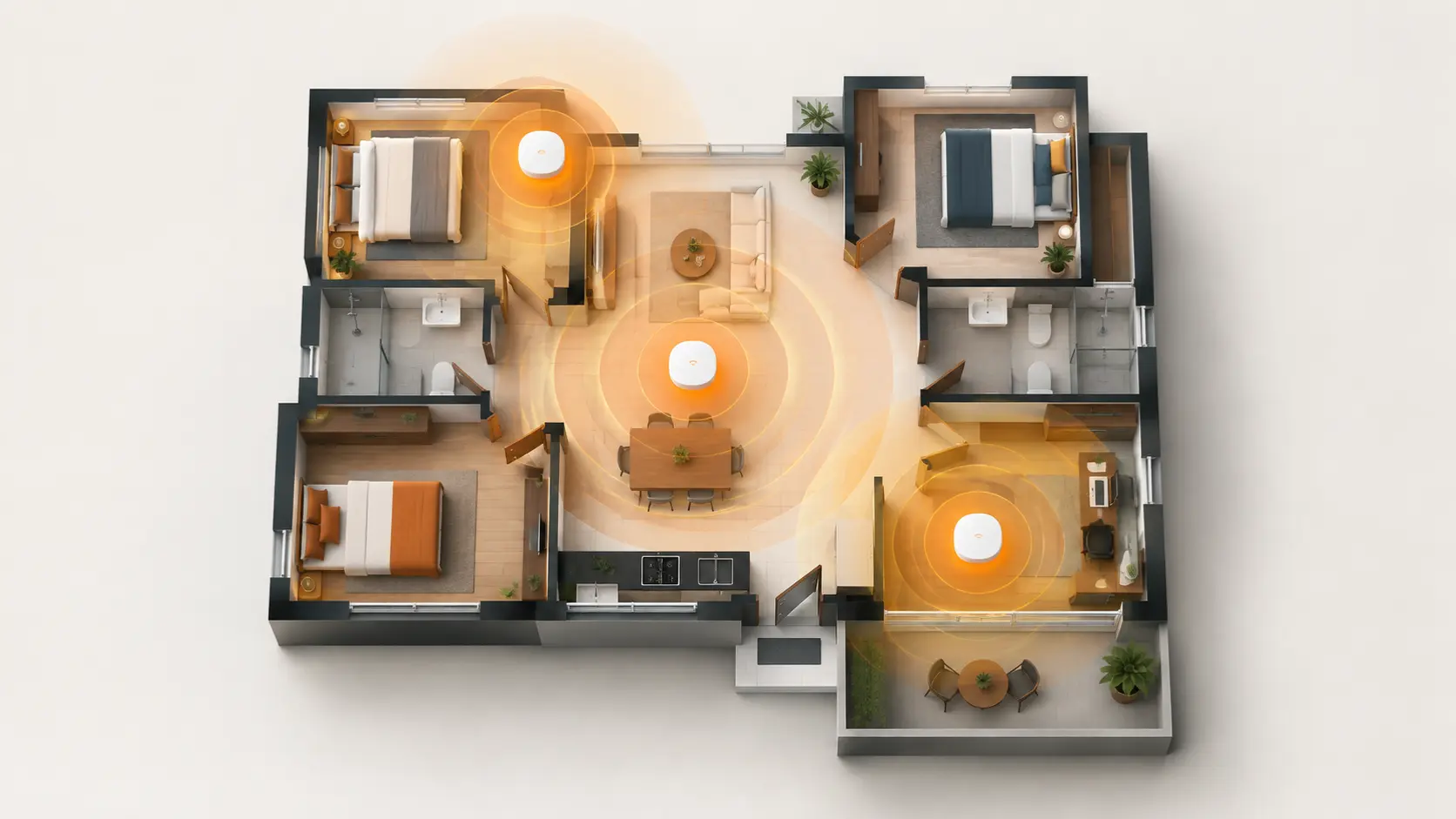
Not sure how many access points your home or office needs? Here's a practical, no-guesswork way to calculate the right number for your space.
Buy too few access points, and you're left with the same dead zones you were trying to fix. Buy too many, and you've spent more than necessary, while also risking a subtler problem — access points placed too close together can actually interfere with each other, creating more inconsistency, not less. Getting the number right matters, and it's more knowable than it might seem, once you separate two things that often get lumped together: coverage and capacity.
Coverage vs. Capacity: The Distinction That Actually Matters
Most people plan access point count around one question: "will the signal reach every room?" That's coverage, and it's important — but it's only half the picture.
Capacity is the other half: even where signal reaches perfectly well, an access point can only comfortably serve so many active devices at once before performance degrades for everyone connected to it. A quiet 2,000 sq ft home with two people occasionally browsing behaves completely differently from a 2,000 sq ft office with fifteen people on video calls simultaneously — even though the physical coverage challenge is identical.
This is why a rough "one AP per X square feet" rule is a reasonable starting point, but not the final answer. The busiest room in your space — the one with the most simultaneous active devices — often determines your real access point count more than total square footage does.
Starting Estimates by Space Type
These are genuinely useful starting points, not final answers — treat them as the number to plan around, then adjust for the factors below.
| Space Type | Rough Guide |
|---|---|
| Home (light usage) | 1 AP per 1,500-2,500 sq ft of open space |
| Small office (mixed open/private) | 1 AP per 1,200-1,500 sq ft |
| Dense, high-device environments (many video calls, IoT) | 1 AP per 800-1,200 sq ft |
| Hospitality (hotel rooms, villas) | Often 1 AP per room, given walls between units |
For a typical Indian home — a 2-3 BHK apartment or a mid-sized independent house — this usually means one well-placed access point is enough, occasionally two for larger or multi-floor homes. Larger independent houses, especially with multiple floors or thick concrete construction, are where the count starts climbing toward two or three.
Factors That Push Your Number Up
Building materials. Concrete, brick, and metal-backed surfaces block WiFi signal significantly more than drywall or wood-frame construction. Indian homes and offices, often built with concrete and brick, generally need somewhat denser AP placement than the same square footage would in lighter construction.
Floor plan shape. A simple rectangular layout is the easiest to cover efficiently. An L-shaped, H-shaped, or otherwise irregular floor plan often needs additional access points, since a single unit can't sit centrally relative to every area without the signal having to cross multiple walls.
Number of floors. WiFi signal doesn't travel well between floors, especially through concrete slabs common in Indian construction. As a general rule, plan for at least one access point per floor in a multi-floor home or office, rather than expecting a single unit on the ground floor to adequately cover upper levels.
Device density in specific rooms. A home office with someone on video calls all day, or a living room where multiple people stream simultaneously, may need dedicated, closer coverage even if the raw square footage wouldn't suggest it.
Planned overlap. Professional WiFi deployments typically plan for 10-15% coverage overlap between access points, ensuring a device doesn't lose connection entirely in the gap between two APs' effective range. This means access points should be planned slightly closer together than their theoretical maximum range would suggest.
A Practical Example: Sizing a 3-Floor Independent House
Consider a 3-floor home, roughly 1,200 sq ft per floor, concrete construction, with a home office on the second floor where video calls happen daily.
- Ground floor: Living areas, moderate device density → 1 access point (e.g., Tenda I24, AC1200)
- First floor: Bedrooms plus the home office with daily video calls → 1 access point, potentially a WiFi 6 model like the I26 given the higher, more consistent device load from video conferencing
- Second floor: Bedrooms, lighter usage → 1 access point, or in some layouts, coverage from the first floor's unit may reach adequately if the floor plan is simple and the AP is centrally placed
This lands at 2-3 access points for the whole house — more than a single-router setup, but each unit doing a clearly defined job rather than one device straining to cover three concrete floors on its own.
For Offices and Hospitality: A Slightly Different Calculation
Small offices generally follow the same coverage-plus-capacity logic, but density matters more since more people are actively using devices simultaneously during work hours. A 3,000-4,000 sq ft office with a mix of open desks and a few private rooms often lands around 2-3 access points, with an additional unit near any conference room where multiple people frequently join video calls at once — that single room's device density can matter more than its size.
Hospitality properties — hotels, villas, service apartments — often plan closer to one access point per room, given walls between units significantly limit how far a single AP's signal usefully travels. Tenda's W12 in-wall access point is built specifically for this kind of room-by-room deployment.
How to Verify Your Plan Once Installed
After installing your planned number of access points, walk through every room and check signal strength and actual usable speed, not just whether a WiFi icon shows full bars. A device can show strong signal while still experiencing slow speeds if too many devices are sharing that access point's capacity. If you find a specific room still underperforming despite reasonable AP placement, that room may need its own dedicated unit rather than relying on overlap from a neighbouring one.
Frequently Asked Questions
Is one access point enough for a 2-3 BHK apartment?
In most cases, yes — a single, well-placed access point (centrally located, elevated, not enclosed in a cabinet) comfortably covers a standard 2-3 BHK apartment. Larger or unusually shaped apartments, or those with particularly thick walls, may benefit from a second unit.
Do I need one access point per floor in a multi-floor home?
This is a reasonable general guideline, since WiFi signal struggles to pass through concrete floor slabs common in Indian construction. A single access point on the ground floor rarely provides strong coverage two floors up.
How do I know if I need more capacity, not just more coverage?
If a room shows a strong WiFi signal but still experiences slow speeds or buffering, especially during hours when multiple devices are actively in use, this points to a capacity issue rather than a coverage gap — the access point may be serving more simultaneous devices than it comfortably handles.
Can too many access points actually cause problems?
Yes — access points placed too close together, especially without proper channel planning, can interfere with each other and create more inconsistency rather than better coverage. More isn't automatically better; correctly placed and appropriately spaced access points matter more than sheer quantity.
Should I use the same access point model throughout my home or office, or can I mix models?
Mixing models (for example, a WiFi 6 unit in a high-device-density room and a standard AC1200 unit elsewhere) is a perfectly reasonable approach, matching each location's specific needs rather than buying identical units everywhere by default.
Does access point placement matter as much as the count?
Yes, arguably more. A correctly sized number of access points, poorly placed (inside cabinets, in corners, too close together), can still leave dead zones. Central, elevated, unobstructed placement matters as much as getting the total count right.
Getting your access point count right means separating "will the signal reach" from "can it handle everyone actually using it" — and planning for both. Explore Tenda's access point range to find the right mix of models for your space.