Point-to-Point vs Point-to-Multipoint: Which Outdoor CPE Setup Do You Need?
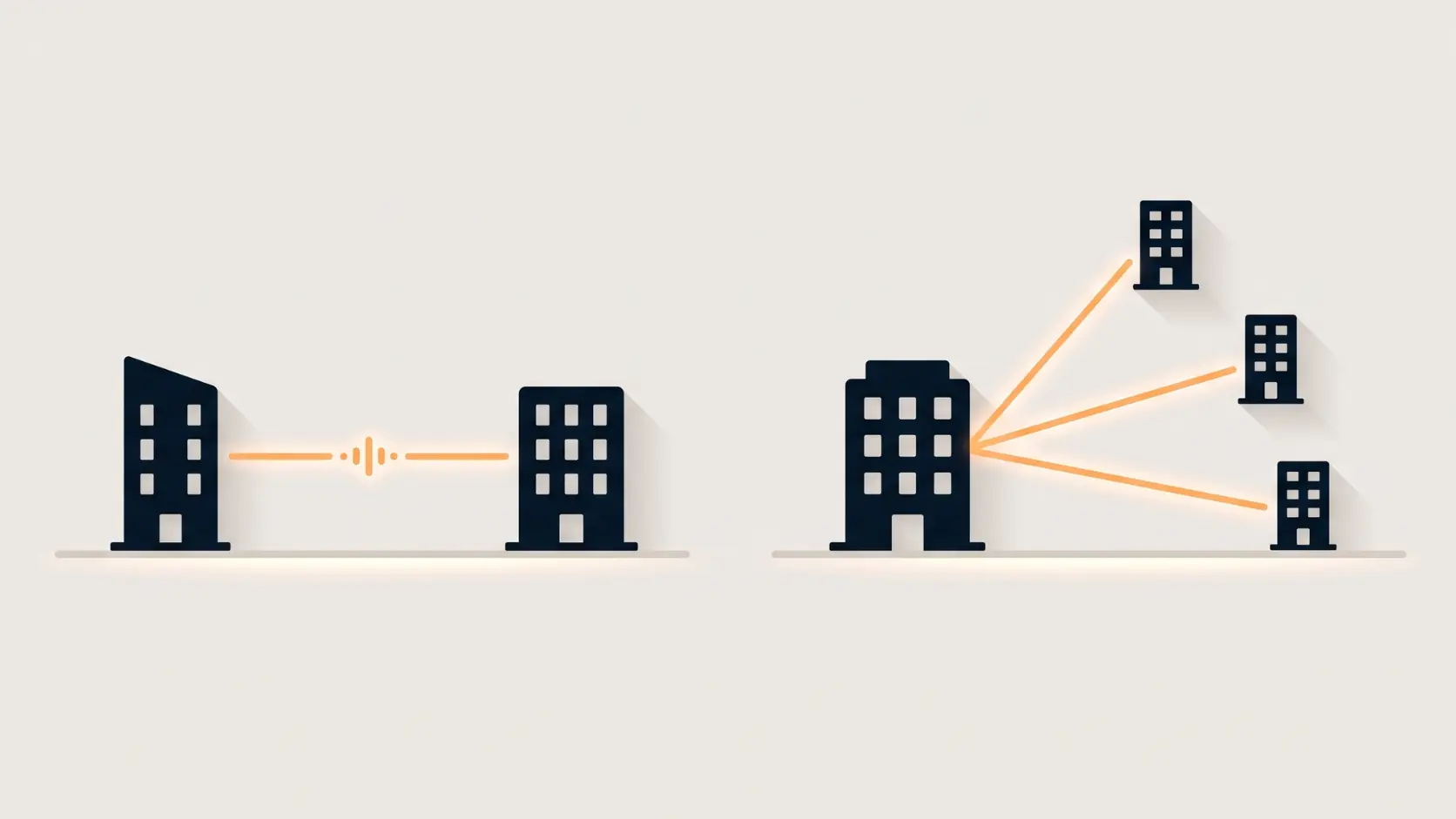
Connecting one building or several? Here's how to choose between point-to-point and point-to-multipoint outdoor CPE setups, explained simply.
Once you've decided an outdoor CPE is the right tool for connecting a distant building or camera, there's a second decision that genuinely changes how you set things up: are you connecting exactly two locations, or do you need one central point linking to several remote sites? This is the point-to-point versus point-to-multipoint decision, and getting it right from the start saves you from buying the wrong equipment or configuration.
Point-to-Point (PtP): Two Locations, One Dedicated Link
Point-to-point is the simpler, more common setup — one CPE device at each of exactly two locations, pointed directly at each other, forming a single dedicated wireless link. All of the link's available bandwidth is dedicated entirely to that one connection, with nothing else sharing it.
This is the right setup when:
- You're connecting exactly two buildings or locations — a house and a barn, an office and a warehouse
- You want maximum available bandwidth on that single link, with nothing else competing for it
- Your setup is relatively simple, with no plans to add additional remote locations later
- You want the most straightforward possible configuration — point-to-point is generally the easiest mode to set up and maintain
Tenda's O1, O1-5G, O3, OS3, O6, O8, and O9 all support point-to-point mode, and several — including the O1, O3, and O9 — include auto-bridging technology, where the two units automatically detect and connect to each other once powered on and correctly aligned, genuinely simplifying setup for a straightforward two-location link.
Point-to-Multipoint (PtMP): One Hub, Several Remote Sites
Point-to-multipoint uses one central unit (acting as a base station or hub) communicating with multiple remote CPE units simultaneously, rather than a single dedicated pair. Picture a central farmhouse linking wirelessly to three separate outbuildings, or one main office connecting to several smaller remote sites across a larger property — all through one central hub device.
This is the right setup when:
- You need to connect one central location to several separate remote sites
- Your bandwidth needs per remote location are moderate rather than maximum — PtMP shares available bandwidth across all connected sites, so more connections generally means less bandwidth available to each
- You want the flexibility to add more remote locations later without needing to add a whole new dedicated link for each one
- You're covering a larger property or campus with multiple structures needing connectivity from one central point
Several Tenda outdoor CPE models — including the O3, OS3, and O9 — explicitly support PtMP mode alongside point-to-point, giving you the flexibility to choose the right configuration for your specific layout without needing different hardware for each mode.
The Core Trade-Off: Bandwidth vs Flexibility
This is really what the decision comes down to. Point-to-point dedicates the full capability of the link to exactly one connection — faster, simpler, and the natural choice when you only have two locations to connect. Point-to-multipoint trades some of that per-connection bandwidth for the flexibility of serving multiple remote sites from a single central hub, which becomes the more practical and cost-effective choice once you're connecting three or more locations, since running separate dedicated point-to-point links to each one would mean buying and managing far more hardware.
A Practical Example
Scenario A — a farm with one detached barn: Exactly one remote building needs connectivity. A point-to-point setup with two matching units (say, a pair of O3s) is the simplest, most bandwidth-efficient choice.
Scenario B — a property with a main house, a barn, a workshop, and a guest cottage, all separate structures: Four locations need connectivity from one source. Rather than running four separate point-to-point links (requiring the main house to host four separate CPE units, each dedicated to one connection), a point-to-multipoint setup with one central hub unit and three remote units is the more practical, scalable solution.
What About CCTV Backhaul Specifically?
For a single distant camera or camera group, point-to-point is typically the right choice, since it dedicates full bandwidth to that one video feed without competing for capacity. If you have camera clusters at several separate locations around a larger property, point-to-multipoint lets one central hub serve all of them, though it's worth checking that the combined bandwidth need across all camera locations stays comfortably within what the hub can deliver to each site. Our Outdoor CPE for CCTV guide covers this scenario in more depth.
Frequently Asked Questions
Can the same CPE device be configured for either point-to-point or point-to-multipoint?
Many Tenda outdoor CPE models, including the O3, OS3, and O9, support both modes on the same hardware, meaning you can choose the configuration that fits your setup without needing different devices for each mode.
Is point-to-multipoint always slower than point-to-point?
Not inherently slower, but bandwidth is shared across all connected remote sites in a point-to-multipoint setup, meaning each individual site generally gets less dedicated bandwidth than a direct point-to-point link would provide, especially as more remote sites are added.
How many remote locations can a point-to-multipoint setup support?
This varies by specific device and configuration, but the practical limit depends on how much bandwidth each remote site actually needs and how much total capacity the central hub can distribute — check your specific application's bandwidth requirements against the hub device's capabilities.
Do I need special equipment for the central hub in a point-to-multipoint setup, or is it the same as the remote units?
This depends on the specific product line — some manufacturers use the same hardware for both hub and remote roles, configured differently, while others have dedicated hub/base-station units. Check your specific Tenda model's documentation for its supported configuration.
If I start with point-to-point, can I switch to point-to-multipoint later if I add more locations?
This depends on whether your existing device supports PtMP mode. If it does, reconfiguring is often possible without replacing hardware. If your original device only supports point-to-point, you'd need compatible PtMP-capable equipment to expand.
Which mode is easier to set up for someone without networking experience?
Point-to-point is generally the simpler setup, especially on models with auto-bridging technology, since it's just two devices finding and connecting to each other. Point-to-multipoint setups involve a bit more planning around the central hub and multiple remote connections.
Whether you need point-to-point or point-to-multipoint comes down entirely to how many locations you're actually connecting. Browse Tenda's outdoor CPE range to find a model that supports the configuration your property needs.