What Is a Network Switch? Do You Actually Need One?
Confused about what a network switch does or whether you need one? Here's a clear, no-jargon explanation and how to tell if it's the right fix for you.
Run out of Ethernet ports on the back of your router, and the usual next question is: do I need a router, a switch, or something else entirely? It's a fair question — the two devices sit next to each other, look broadly similar, and both have a row of Ethernet ports. But they do genuinely different jobs, and understanding that difference is the whole key to knowing whether a network switch actually solves your problem.
The Simplest Way to Understand the Difference
The router thinks. The switch expands.
Your router is the device that connects your home or office to the internet, assigns addresses to every device on your network, and handles security functions like your firewall. It's the brain of the operation — every home or office network needs exactly one (or one per internet connection).
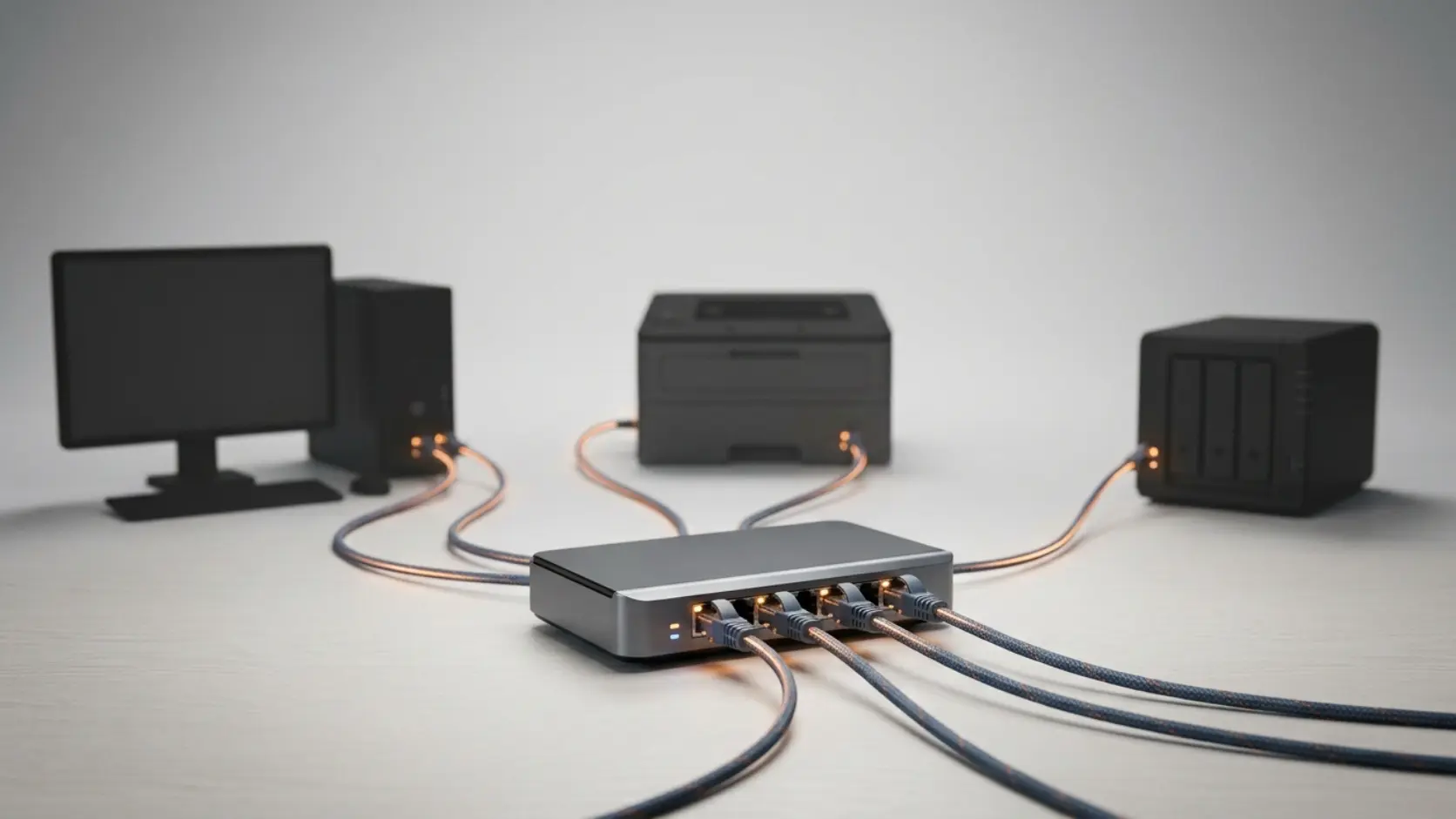
A network switch does something much narrower: it simply adds more wired Ethernet ports to your existing network. Plug a switch into one of your router's LAN ports, and suddenly you have several more ports available for wired devices — computers, printers, network storage, security cameras, gaming consoles — all communicating with each other and back to the router through the switch.
Think of a switch as an intelligent extension cord for network cables, rather than a separate brain. It doesn't manage your internet connection, doesn't assign IP addresses, and doesn't run a firewall — it just gives you more wired connections, and does it efficiently, sending data only to the specific device that needs it rather than broadcasting to every port.
A Simple Rule of Thumb: Do You Actually Need One?
Most routers come with 4 wired Ethernet ports built in. If you have fewer than about 4 devices that need a wired connection — a desktop computer, a printer, maybe a smart TV — your router's built-in ports are probably enough on their own, and a separate switch isn't necessary.
You likely need a switch if:
- You've run out of ports on your router and need to connect more wired devices
- You're setting up multiple IP cameras, computers, or network devices in one location
- You want stable, wired connections for gaming consoles, NAS drives, or other bandwidth-heavy devices, without competing for the same handful of router ports
- You're wiring an office with more desks or devices than your router alone can support
You probably don't need one if:
- Your devices connect wirelessly and work fine over WiFi
- You have fewer than 4 wired devices total
- Your router's built-in ports already cover your current and near-future needs
Why Use a Switch Instead of Just a Bigger Router?
This is a genuinely good question, and the honest answer is about specialisation. A router handling internet connectivity, security, WiFi broadcasting, and a large number of wired ports all at once tends to do all of those jobs less efficiently than dedicated hardware doing each job well. Keeping your router focused on internet and security, while a separate switch handles wired port expansion, generally gives you a more stable, better-performing setup than asking one device to do everything.
This also scales more sensibly. If you need more ports later, adding another switch is simple and inexpensive — you're not forced to replace your entire router just because you've run out of physical Ethernet ports.
What a Switch Actually Does, Technically (In Plain Terms)
A switch works at what networking professionals call "Layer 2" — it identifies devices by their hardware address (called a MAC address) rather than by IP address, which is how your router identifies devices. In practical terms, this means a switch learns which device is connected to which port and sends data precisely to that device, rather than broadcasting every bit of traffic to every connected device the way older, now-obsolete "hub" technology used to.
You don't need to understand the technical layer to use a switch — this is exactly why unmanaged switches, which make up most of Tenda's range, require zero configuration. Plug devices in, and the switch handles this traffic direction automatically.
Unmanaged vs Managed: A Quick Preview
Tenda's networking switch range includes both types. Unmanaged switches — like the S105, S108, SG105M, SG108M, TEG1016D, and TEG1024D — are genuinely plug-and-play, requiring no setup or configuration at all. Managed switches — the TEG3328F and TEG5328F — offer additional control over how your network behaves, including VLANs (network segmentation) and QoS (traffic prioritisation), suited to more complex business environments.
For most homes and small offices, an unmanaged switch is exactly what's needed. Our Managed vs Unmanaged Switch guide covers this distinction in full detail if you're unsure which fits your situation.
A Practical Example
Imagine a home office with a desktop computer, a printer, a NAS drive for backups, and a smart TV — four wired devices, right at the typical router's port limit. Add a games console and a second monitor's docking station, and you're now short two ports. Rather than replacing the router, plugging in an unmanaged 5-port or 8-port switch (like the Tenda S105 or S108) into one of the router's existing ports instantly gives you the extra connections needed, without any configuration required.
Frequently Asked Questions
What's the difference between a network switch and a router?
A router manages your internet connection, assigns IP addresses to devices, and handles security functions like your firewall — every network needs one. A switch simply adds more wired Ethernet ports to your existing network, without managing the internet connection itself.
Do I need a network switch for my home WiFi to work better?
Not directly — a switch is about wired connections, not WiFi coverage. If your issue is WiFi range or coverage, a router upgrade, range extender, or access point addresses that instead. A switch is the right fix specifically when you need more wired Ethernet ports.
Can I just buy a router with more built-in ports instead of adding a switch?
This is possible, but routers with many built-in ports are less common and often more expensive than buying a standard router plus a separate switch. Adding a switch also lets you scale up incrementally as your needs grow, rather than replacing the whole router.
Will adding a switch slow down my internet speed?
No — a good quality switch, used within its rated capacity, doesn't meaningfully slow down your network. In fact, moving devices from WiFi to a wired connection through a switch often improves their individual speed and stability compared to WiFi.
Do I need a managed switch for a home network?
Almost certainly not — unmanaged switches handle typical home networking needs, including CCTV cameras, computers, and smart devices, without any configuration required. Managed switches are aimed at more complex business environments needing network segmentation or traffic prioritisation.
How many devices can one switch handle?
This depends on the specific switch's port count — a 5-port switch handles 5 connected devices (with one port typically used to connect back to the router, leaving 4 free), while larger switches like a 24-port or 48-port model handle correspondingly more, suited to larger offices or server rooms.
If you've run out of wired ports on your router, a switch is very likely the simple, inexpensive fix — no need to replace anything else. Browse Tenda's network switch range to find the right port count for your setup.