What Is an SFP Port? Fiber Uplink Explained Simply
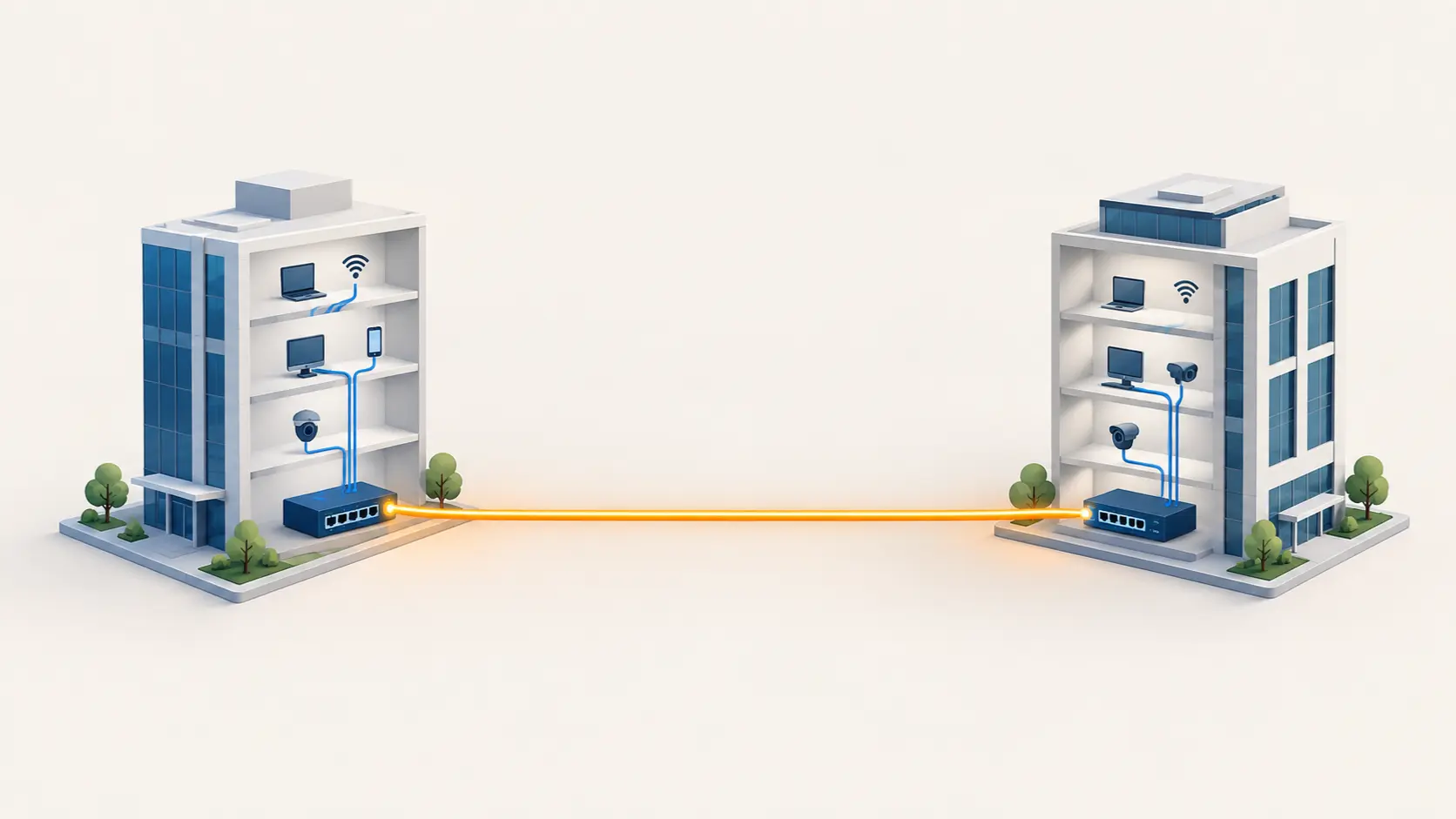
Seeing "SFP port" on a switch spec sheet and not sure what it means? Here's a plain-language explanation of what it does and when you'd actually use it.
Scroll through a switch's spec sheet and you'll often see something like "24GE + 4 SFP" listed almost as an afterthought — a handful of mysterious extra ports alongside the standard Ethernet ones. If you're not from a networking background, it's easy to skip past this detail entirely. It's worth understanding, though, because it's genuinely one of the more useful features on a higher-tier switch, and it solves a specific, real problem standard Ethernet ports can't.
The Short Version
An SFP port is a small slot on a switch that accepts a removable module (called an SFP transceiver), letting that one port connect using either fiber optic cable or, with a different module, copper cable over longer distances than standard Ethernet allows. Think of it as a port that can change what kind of cable it accepts, simply by swapping out a small plug-in module — rather than being permanently fixed to one connection type the way a standard Ethernet port is.
Why Does This Matter? The 100-Metre Problem
Standard Ethernet cabling — the kind running into a normal RJ45 port — has a hard distance limit of about 100 metres before the signal degrades too much to work reliably. For a single office or home, that's rarely a problem. But the moment you need to connect two switches across a larger distance — different floors of a large building, separate buildings on a campus, or a warehouse spread across a wide area — 100 metres runs out fast.
This is exactly what SFP ports solve. With a fiber optic SFP module inserted, that same port can reliably carry a connection much further — Tenda's TEG1050F, for example, supports fiber connections up to 20 kilometres through its SFP slots, a distance standard copper Ethernet simply cannot achieve.
What SFP Ports Are Actually Used For
Connecting switches together over distance. The most common use — linking an access switch in one building or floor to a central switch elsewhere, over fiber, without the 100-metre copper limitation.
Campus or multi-building networks. Schools, large offices, or industrial sites spanning multiple buildings often rely on fiber SFP links between buildings, since running copper cable that far isn't practical or reliable.
Avoiding electrical interference. Fiber optic cable, unlike copper, isn't affected by electrical interference — genuinely useful in industrial environments with heavy machinery, or any setting where copper cable runs near significant electrical equipment.
Future flexibility. Because the module is removable and swappable, a switch with SFP ports can be adapted to different connection types and distances later, without replacing the switch itself — just change the module to match what you need.
SFP Port vs Standard Ethernet (RJ45) Port
| Standard RJ45 Port | SFP Port | |
|---|---|---|
| Cable type | Copper Ethernet only | Fiber optic or copper, depending on module |
| Maximum distance | ~100 metres | Several kilometres with fiber (up to 20km on some models) |
| Flexibility | Fixed to one connection type | Swappable module changes connection type |
| Typical use | Connecting end devices (computers, cameras, APs) | Connecting switches together, longer-distance links |
Do You Actually Need SFP Ports?
For a single-room office or home network where everything connects within a normal cable run, SFP ports aren't something you'll use — standard Ethernet ports handle everything you need. SFP capability becomes relevant specifically when:
- You're connecting switches across different floors of a large building, where cable runs might exceed 100 metres
- You're linking separate buildings — a campus, a warehouse complex, adjacent offices
- You're building out a larger CCTV or networking deployment where a central switch needs to reach distant access switches reliably
- You want flexibility to upgrade your connection method later without replacing the switch
Tenda's TEG1050F, TEG3328F, and TEG5328F all include SFP ports alongside their standard Gigabit Ethernet ports, giving exactly this flexibility for larger deployments without needing specialized fiber-only hardware.
A Practical Example
Imagine a school with a main building and a separate sports complex 300 metres away, both needing network connectivity back to the main server room. Standard Ethernet cable can't reliably make that 300-metre run. Running a fiber optic cable between the two buildings and connecting it through each location's switch SFP ports solves this cleanly — the fiber segment covers the long outdoor distance, while standard Ethernet handles the shorter runs to individual devices within each building.
Frequently Asked Questions
Do I need to buy anything extra to use an SFP port, or does it work immediately?
You need an SFP transceiver module (fiber or copper) inserted into the port, plus the matching cable. The switch itself comes with the empty SFP slot; the module and cable are typically purchased separately based on your specific distance and connection needs.
Can I use an SFP port for a normal device like a computer or camera?
Not directly — SFP ports are designed for switch-to-switch or switch-to-router connections, typically using specific transceiver modules, rather than connecting directly to end devices like computers or cameras, which use standard Ethernet ports.
What's the difference between SFP and SFP+?
SFP typically supports up to 1 Gbps connections, while SFP+ supports higher speeds (commonly 10 Gbps). The physical slot size is similar, but the two aren't always interchangeable — check your specific switch's supported module types.
Is fiber optic cable harder to install than standard Ethernet?
Fiber cable is more delicate and typically requires more careful handling during installation compared to standard copper Ethernet, and connecting it often involves specific connectors suited to fiber. For straightforward building-to-building runs, professional installation is commonly used to ensure a reliable connection.
Why would I choose a switch with SFP ports if I don't currently need long-distance connections?
Even if you don't need it immediately, having SFP ports available gives you flexibility to expand your network across greater distances later without needing to replace your switch — useful if your business or property might grow to span more than one building over time.
Does using an SFP port with a fiber module slow down regular Ethernet traffic on the same switch?
No — the SFP port operates independently alongside the switch's standard Ethernet ports, and using it for a fiber uplink doesn't affect the speed or performance of devices connected through the regular RJ45 ports.
SFP ports aren't something every network needs, but for anything spanning more than a single room or building, they solve a genuine distance problem standard Ethernet simply can't. Browse Tenda's switches with SFP uplink support for larger deployments and multi-building networks.