WiFi Dead Zones? Here's How to Know If You Need a New Router or a Range Extender
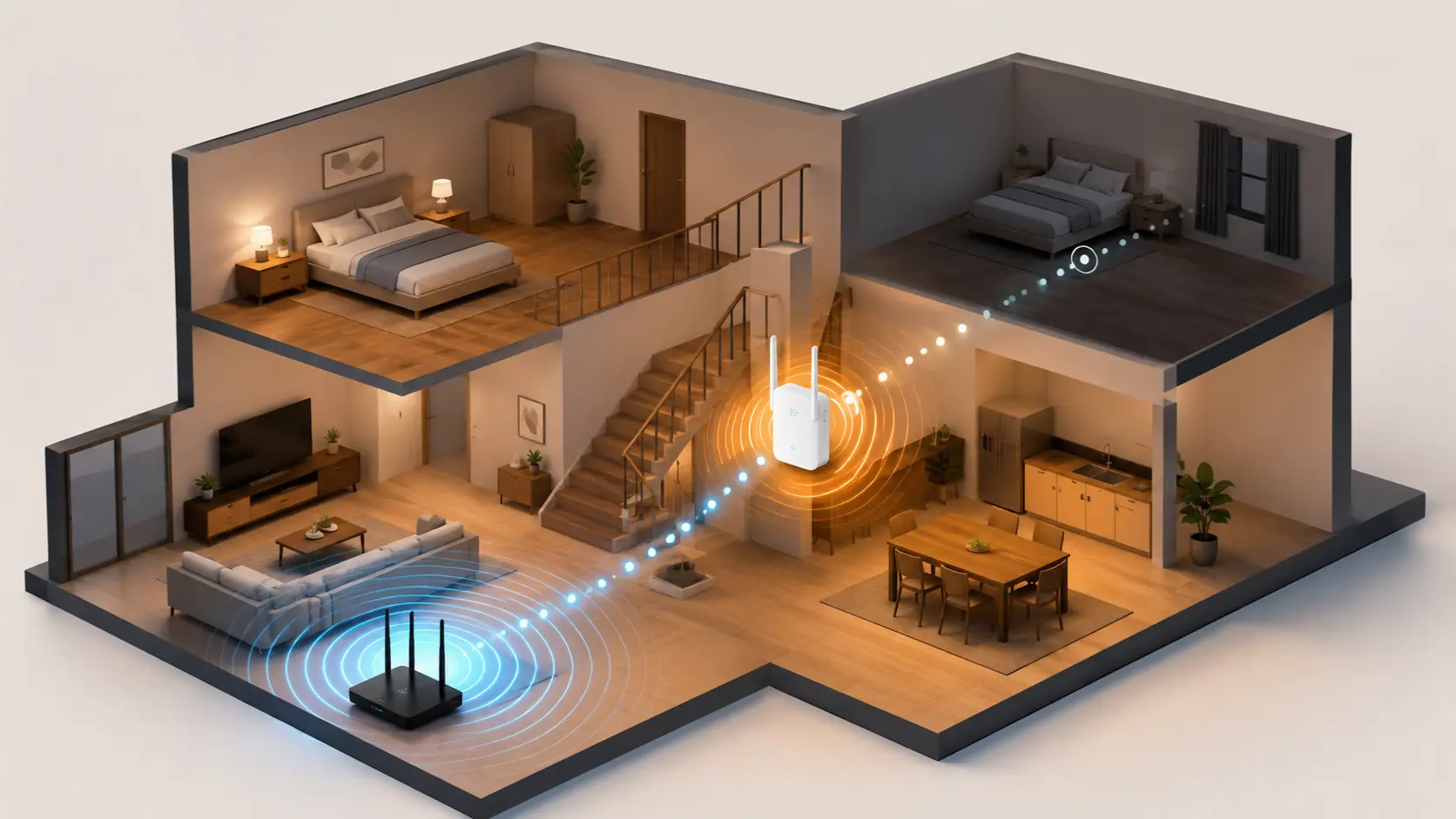
Weak WiFi in one room? Here's how to know whether you need a new router or a range extender — plain-language guide for Indian homes.
You know the walk. Full WiFi bars in the living room, and by the time you reach the back bedroom or the kitchen, your phone is down to one bar, and the video keeps spinning. This is one of the most common WiFi complaints in Indian homes — especially in independent houses with multiple floors, or apartments with concrete load-bearing walls that block signal far more than drywall does.
The good news: dead zones are almost always fixable. The confusing part is knowing which fix your home actually needs, since "buy a range extender" and "just get a better router" both sound like reasonable advice — and they solve different problems.
First: Try This Before Buying Anything
Before spending money, rule out the easy fixes. Router placement causes more dead zones than people realise.
- Move it to a central, open location — not inside a cabinet, not behind the TV, not on the floor. Elevated and central beats tucked away every time.
- Keep it away from thick walls and metal objects — concrete, metal cupboards, and large mirrors all weaken signal significantly
- Update the firmware — through the Tenda WiFi app, this is a free performance improvement many people skip
- Check which band your device is using — some devices default to a weaker connection; switching a nearby device to 5 GHz can free up capacity for others
If you've already got the router centrally placed and you're still getting dead zones, it's time to consider hardware. Here's how to choose between the two real options.
Option 1: A Better Router
When this is the right fix: Your current router is old, single-band, or has weak antennas, and your home is a standard-sized apartment (roughly under 1,200 sq ft) without major obstructions. Sometimes the "dead zone" isn't a coverage problem at all — it's simply an underpowered router trying to do a job it was never built for.
Upgrading from a single-band or basic router to a dual-band router with high-gain antennas, like the Tenda AC10 or RX2 Pro, can resolve dead zones on its own without adding a second device. More antennas, higher dBi ratings, and beamforming technology all genuinely extend how far and how reliably your signal reaches.
Limitation: A router alone has a ceiling. It generally can't be expected to cover a large, multi-floor home or push signal reliably through several concrete walls, no matter how good it is.
Option 2: A Range Extender
When this is the right fix: You have one or two specific weak spots — a back bedroom, a home office, a balcony — while the rest of your home has decent coverage. This is the classic "spot fix" scenario, and it's also the right call for larger or multi-floor homes with several weak areas, since you can place more than one extender if needed.
A range extender, like the Tenda A10 (N300, single-band) or Tenda A19 (AC1200, dual-band), picks up your existing WiFi signal and rebroadcasts it further into the dead zone. It's the more affordable option and doesn't require replacing your router.
- Tenda A10 (N300) — a solid, budget-friendly pick for a straightforward single dead zone, like one back bedroom in a small home
- Tenda A19 (AC1200 dual-band) — the better fit if your main router is already AC1200 or higher, since matching a dual-band extender to a dual-band router avoids leaving speed on the table, and suits medium-to-large homes or independent houses
Where to place it: Roughly halfway between your router and the dead zone — somewhere it can still receive a strong signal itself. Placing an extender inside the weak spot defeats the purpose, since it can only rebroadcast a signal as strong as what it's receiving.
Note on network names: Basic single-band extenders sometimes create a separate WiFi network name, meaning your phone doesn't automatically switch to the stronger signal as you move through the house. If seamless roaming between your router and extender matters to you, the dual-band A19 is the better fit.
Quick Decision Guide
| Your Situation | Best Fix |
|---|---|
| Old router, small-to-medium home, general weak signal everywhere | New dual-band or WiFi 6 router |
| One specific weak spot, rest of home is fine, tight budget | Tenda A10 range extender |
| Multiple weak spots or a larger/multi-floor home | Tenda A19 range extender (can use more than one) |
| Main router is already AC1200 or higher | Tenda A19 (dual-band, matches router speed) |
A Common Misunderstanding Worth Clearing Up
Here's the thing most people don't realise: a range extender doesn't increase your internet speed. It can't make your broadband plan faster than what your ISP delivers. What it does is bring your existing speed to more areas of your home more reliably. If your actual problem is slow speed everywhere, even close to the router, that's a broadband plan or router capacity issue — not a coverage issue, and an extender won't fix it.
Similarly, a basic single-band extender can sometimes roughly halve the throughput available to devices connected through it, since it's receiving and rebroadcasting on the same radio. This doesn't make extenders a bad choice — it just means matching the right extender to your router matters. If your main router is AC1200 or higher, pairing it with a compatible dual-band extender avoids leaving speed on the table.
Frequently Asked Questions
Is a range extender or a new router better for fixing weak WiFi in one room?
If the rest of your home has good coverage and it's just one room struggling, a range extender is usually the more cost-effective fix. If your whole home has weak signal, the router itself is more likely the bottleneck.
Do I need more than one range extender for a large home?
Possibly. For a large or multi-floor home with several distinct weak spots, using more than one extender — placed at different halfway points — can cover the whole home effectively without needing to replace your main router.
Does a WiFi extender reduce internet speed?
Basic single-band extenders like the Tenda A10 can reduce throughput somewhat because they receive and rebroadcast on the same radio. Dual-band extenders like the Tenda A19 handle this more efficiently, with less speed loss, especially when matched to a dual-band or higher main router.
Can I use a range extender with any router brand?
Yes, in most cases — extenders connect to your existing WiFi network regardless of router brand, as long as you have the network name and password. For best performance, though, pairing a dual-band extender with a dual-band or higher router avoids leaving speed on the table.
Why does my WiFi work fine near the router but drop completely two rooms away?
This is a classic sign of insufficient signal strength or obstruction — thick walls, distance, or floors between rooms all weaken WiFi signal. This is exactly the scenario a range extender or improved router placement is designed to solve.
Should I buy the Tenda A10 or the Tenda A19?
If your main router is a basic single-band model and you have one straightforward dead zone, the A10 (N300) is the more budget-friendly choice. If your main router is dual-band (AC1200 or higher), or you want faster speeds and better performance in the extended area, the A19 (AC1200 dual-band) is the better match.
Dead zones are almost always a coverage problem with a specific, matchable fix — not a reason to guess and overspend. Explore Tenda's routers and range extenders to find the right combination for your home's size and layout.