Access Point or Range Extender? 6 Real Scenarios, Answered
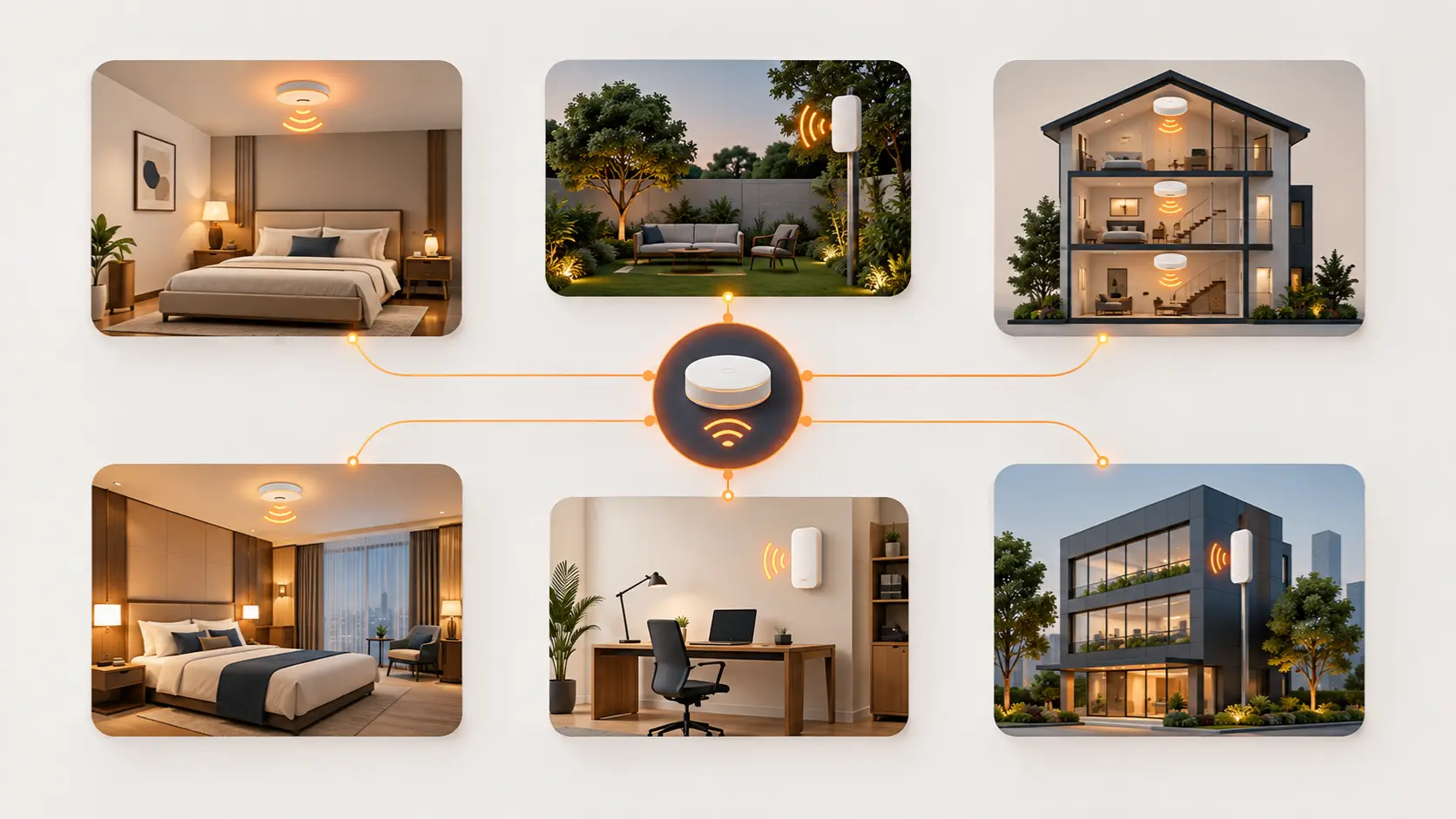
Still not sure whether you need an access point or a range extender? Here are 6 real household and office scenarios with a clear answer for each.
The textbook explanation of access points versus range extenders — one's wired, one's wireless, one's more consistent, one's easier to install — is useful, but it doesn't always make the actual decision obvious when you're standing in your own home trying to fix a specific dead zone. Sometimes it's easier to work backwards from a real situation than forward from a technical definition.
Here are six common scenarios, each with a clear answer and the reasoning behind it.
Scenario 1: "My WiFi is fine everywhere except one back bedroom"
Answer: Range extender.
A single, isolated weak spot in an otherwise well-covered home is the textbook range extender scenario. There's no need for cabling, no need to involve an electrician or run Ethernet through a wall — plug a Tenda A10 or A19 in roughly halfway between your router and the bedroom, and the fix is typically done within minutes. This is the lowest-effort, lowest-cost solution for exactly this kind of contained problem.
Scenario 2: "I'm renovating and want proper whole-home WiFi built in from the start"
Answer: Access point(s).
If you're already opening up walls or planning cabling as part of a renovation, this is the ideal moment to run Ethernet cabling to one or two central points and install ceiling or in-wall access points (like the I24 or W12) instead of relying on extenders after the fact. The cabling work that makes access points slightly more effort in an existing home is a non-issue during a renovation — and you end up with more consistent, higher-performing coverage than extenders would provide, for a similar overall cost once you factor in the renovation timing.
Scenario 3: "I run a small guesthouse with 5 rooms, and guests keep complaining about WiFi"
Answer: Access points, one per room or zone.
Multiple simultaneous users, each expecting reliable, private-feeling coverage in their own room, is exactly where wired access points outperform extenders. Tenda's W12 in-wall access point suits this well — one discreet unit per room, all wired back to a central switch, giving each guest consistent coverage regardless of how many other rooms are occupied at the same time. Extenders daisy-chained across 5 rooms would likely degrade speed noticeably by the time the signal reaches the furthest room, which is the opposite of what paying guests expect.
Scenario 4: "I just need to fix WiFi in my garden for the summer, nothing permanent"
Answer: Range extender, or an outdoor access point if you want it to last beyond just the season.
For a genuinely temporary or lower-stakes need, a range extender is the quicker, more flexible option — no drilling, no cabling, easy to reposition or remove later. If garden or outdoor coverage is something you'll want reliably every year, though, it's worth considering Tenda's OAP1200 outdoor access point instead, since a standard indoor extender isn't built to handle repeated outdoor exposure the way a proper outdoor unit is.
Scenario 5: "I work from home, and my video calls keep freezing in my home office"
Answer: Access point, if the room is far from your router; otherwise, check other causes first.
If your home office is genuinely distant from the router — a converted garage, a far bedroom, a different floor — a wired access point gives you the consistent, low-latency connection video calls need far more reliably than an extender's relayed wireless signal. If the room isn't unusually far but calls still freeze, it's worth checking whether the actual issue is your router's total capacity being stretched by other household devices during the day, rather than assuming distance is the problem — see our WiFi Dead Zones guide for that broader diagnosis.
Scenario 6: "I have a 3-floor house, and coverage is patchy on every floor, not just one spot"
Answer: Access points, one per floor.
This isn't really a single dead zone problem — it's a whole-building coverage problem, and that distinction matters. A range extender is built to patch one specific weak area, not to serve as the backbone for an entire multi-floor home. Running Ethernet to one access point per floor (a mix of I24 or I26 units depending on each floor's device density) gives you consistent coverage throughout, rather than trying to stretch a router's signal — or a chain of extenders — across three floors of likely concrete construction.
The Underlying Pattern
Look back across these six scenarios, and a consistent logic emerges:
- One specific, contained weak spot → range extender
- Multiple rooms, multiple simultaneous users, or a genuinely large/multi-floor space → access points
- Temporary or flexible need → range extender
- Permanent infrastructure, especially during renovation or new construction → access points
- Consistency matters more than installation ease (video calls, guest satisfaction, business use) → access points
If your situation doesn't map cleanly onto one of these six, the underlying question to ask yourself is simple: is this one contained problem, or a broader coverage need across a bigger space?
Contained problems suit extenders. Broader needs suit access points.
Frequently Asked Questions
Can I start with a range extender and upgrade to an access point later if needed?
Yes, this is a reasonable approach — a range extender is a lower-commitment way to address a specific dead zone, and if you later find you need more consistent, whole-building coverage, moving to access points doesn't waste the extender, which can still serve a different, smaller weak spot elsewhere.
Is it ever a bad idea to use a range extender?
Range extenders aren't a poor choice generally, but they're a poor fit for situations needing consistent performance across several simultaneous users or a genuinely large space — daisy-chaining multiple extenders to cover a big area tends to degrade speed significantly by the furthest point.
Do access points always need professional installation?
Not always — a single access point in a home is often manageable without professional help, especially if some cabling infrastructure already exists. Multi-unit deployments across a larger office or hospitality property often benefit from professional installation to get placement and cabling right the first time.
Is a range extender ever actually better than an access point, not just easier?
For a single, contained dead zone where installing cabling genuinely isn't practical (a rented apartment, a heritage building where drilling isn't allowed), a range extender isn't just the easier option — it may be the only realistic one, and it does the job perfectly well for that specific, limited scenario.
Matching the fix to the actual size and nature of your coverage problem — not defaulting to whichever device sounds more advanced — gets you a solution that actually holds up. Browse Tenda's access points for whole-space coverage, or explore range extenders for a quick, targeted fix.