Mesh WiFi vs Router: Which One Fits Your Home?
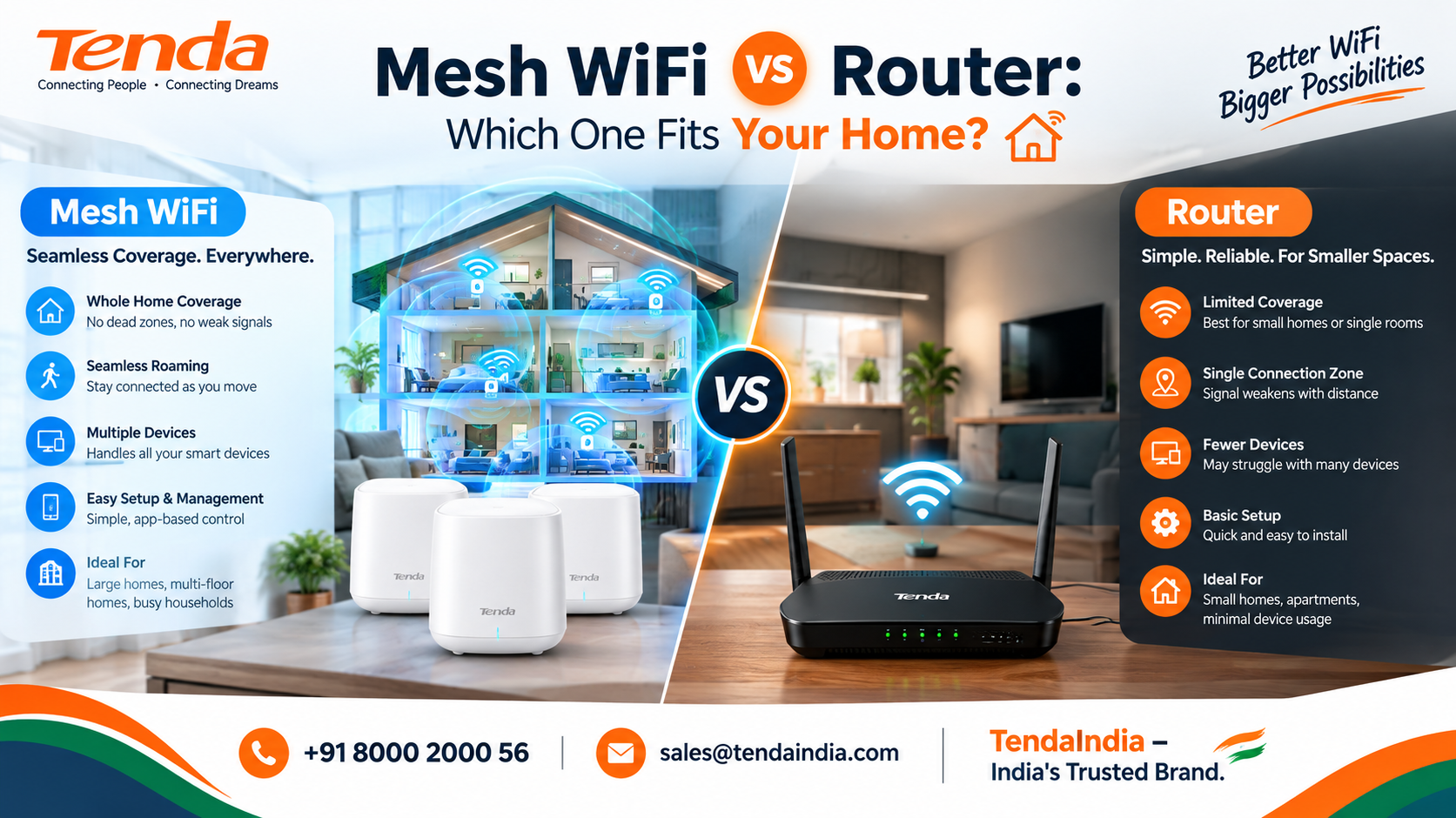
Mesh systems and single routers solve different problems. See how they actually differ in coverage and setup, then find the better fit for your home.
Mesh WiFi vs Router: Which One Actually Fits Your Home?
If your WiFi already reaches everywhere you use it, you don't need to read much further a single router is doing its job, and a mesh system won't meaningfully improve on that. This comparison only really matters once you've noticed a real problem: a room that never gets a strong signal, a floor that always lags behind, or a connection that drops the moment you walk from one end of the house to the other.
Both a single router and a mesh system are ways of getting WiFi around your home they just go about it differently, and each is genuinely the better choice in different situations. Here's what actually separates them, and how to tell which one fits yours.
What Each One Actually Is
A single router is one device that broadcasts WiFi from wherever it sits. It's simple, and for a smaller or single-floor space, that's often all you need.
A mesh system uses several small units one primary node connected to your modem, plus one or more satellite nodes placed around the home that all work together as a single network with one name. Wherever you are in the house, your phone or laptop connects to whichever node is strongest, without you having to do anything.
There's a third, more familiar option worth naming directly: a single router with a WiFi extender added to patch a specific dead zone. It's usually the cheapest fix and it's what a lot of people already have, but it isn't quite the same experience as true mesh more on that difference below.
Coverage: The Real Difference
A single router's signal has to travel from one fixed point, and every wall, floor, and piece of furniture it crosses weakens it a little more. That's fine in a home where the router can reasonably reach every room you actually use. It becomes a real problem in a larger home, a multi-floor house, or a place with unusually thick or concrete walls, where distant rooms end up with a weak signal or none at all.
A mesh system sidesteps this by putting a strong signal source in each area that needs one, rather than asking one device to cover everything alone. That said, more nodes isn't automatically better a mesh system sized or placed poorly, with nodes too close together or too far apart, can cause devices to bounce between signals instead of settling on one, which shows up as odd lag rather than a clean improvement.
Moving Around Your Home: Seamless Hand-Off vs a Second Network
This is the difference people notice day to day more than any spec sheet. On a true mesh system, every node shares the same network name, and your device switches between them automatically as you move you'd genuinely struggle to notice it happening.
A router with an extender usually works differently: the extender broadcasts its own separate network name, and your device won't switch to it on its own. You either connect to it manually when you walk into its range, or your phone keeps clinging to the original router's weak signal instead of the extender's stronger one nearby which is the single biggest everyday annoyance people run into with this setup.
Setup and Adding Coverage Later
A single router is usually the simpler starting point: plug it in, run through its setup, and you're done. Mesh systems lean on a companion app to walk you through adding each node, which takes a little longer up front but tends to be genuinely straightforward.
Where mesh pulls ahead is what happens later. If a new dead zone shows up a home office you've started using, a room added after a renovation adding another mesh node is usually simple. Extending a single router's coverage after the fact means adding an extender (with the network-switching trade-off above) or replacing the router outright with something stronger.
Cost and What You're Actually Paying For
A single router is typically the lower-cost way to get WiFi into a home, especially a smaller one where one device can realistically cover the whole space. A mesh system costs more upfront simply because you're buying multiple units instead of one, and the price scales further if you add nodes later.
It's worth resisting the idea that cost alone tells you which is "better," though. A strong single router can outperform an entry-level mesh system in a small-to-medium home, and an oversized mesh setup in a small apartment is paying for coverage you don't need.
Which One Should You Actually Choose?
- A single, well-placed router is the right call if your home is a standard size, mostly one floor, and your WiFi already reaches the rooms you use most.
- A router plus one extender is worth trying first if you have exactly one persistent dead zone in an otherwise fine setup it's the cheapest way to test whether that's enough before buying a full mesh system.
- A mesh system is the more reliable long-term fit for a large or multi-floor home, a place with consistent dead zones in several rooms, or a household that has grown into a lot more devices and heavier simultaneous use than it had when the current setup was chosen.
Frequently Asked Questions
Can I add mesh nodes to a router I already own?
Sometimes, depending on the system some mesh products can run in an access-point mode alongside an existing router. More commonly, though, the mesh system's own primary node takes over the router role entirely, with your modem staying in place behind it.
Do all mesh nodes need to be wired back to the main one?
No most consumer mesh systems connect their nodes wirelessly by design, which is the whole point of "mesh." Some systems do support a wired connection between nodes where cabling is practical, which can improve performance, but it's an option, not a requirement.
Will switching to mesh fix internet that's just slow, not weak?
No, and this is a common mix-up. Mesh solves coverage dead zones and weak signal in parts of your home. If your internet is slow everywhere, including right next to the router, that's a different problem, usually related to your plan or your provider rather than coverage.
Can I use my internet provider's router as the main node in a mesh setup?
Often yes, either by connecting the mesh primary node to it or by putting the provider's router into a simpler pass-through mode first the exact steps vary by provider and mesh system, so it's worth checking both manuals before assuming either way.
Is mesh overkill for a small apartment?
Usually, yes. If a single router already reaches every room reasonably well, a mesh system mostly adds cost without a coverage problem to solve.
Do I need to start with three mesh nodes?
No most systems work with just the primary node and one satellite, and are built to let you add more later if a specific area still needs help.
Find the Right Fit
Tenda India range extender lineup covers this exact situation: the A10 for a straightforward single dead zone, and the A19 for a larger space or weaker starting signal that needs dual-band support to work with. To find the right fit for your home, reach out to the Tenda team at +918000200056 or sales@tendaindia.com.
TendaIndia – India's Trusted Brand.