VLAN Explained Simply: When Your Business Actually Needs a Managed Switch
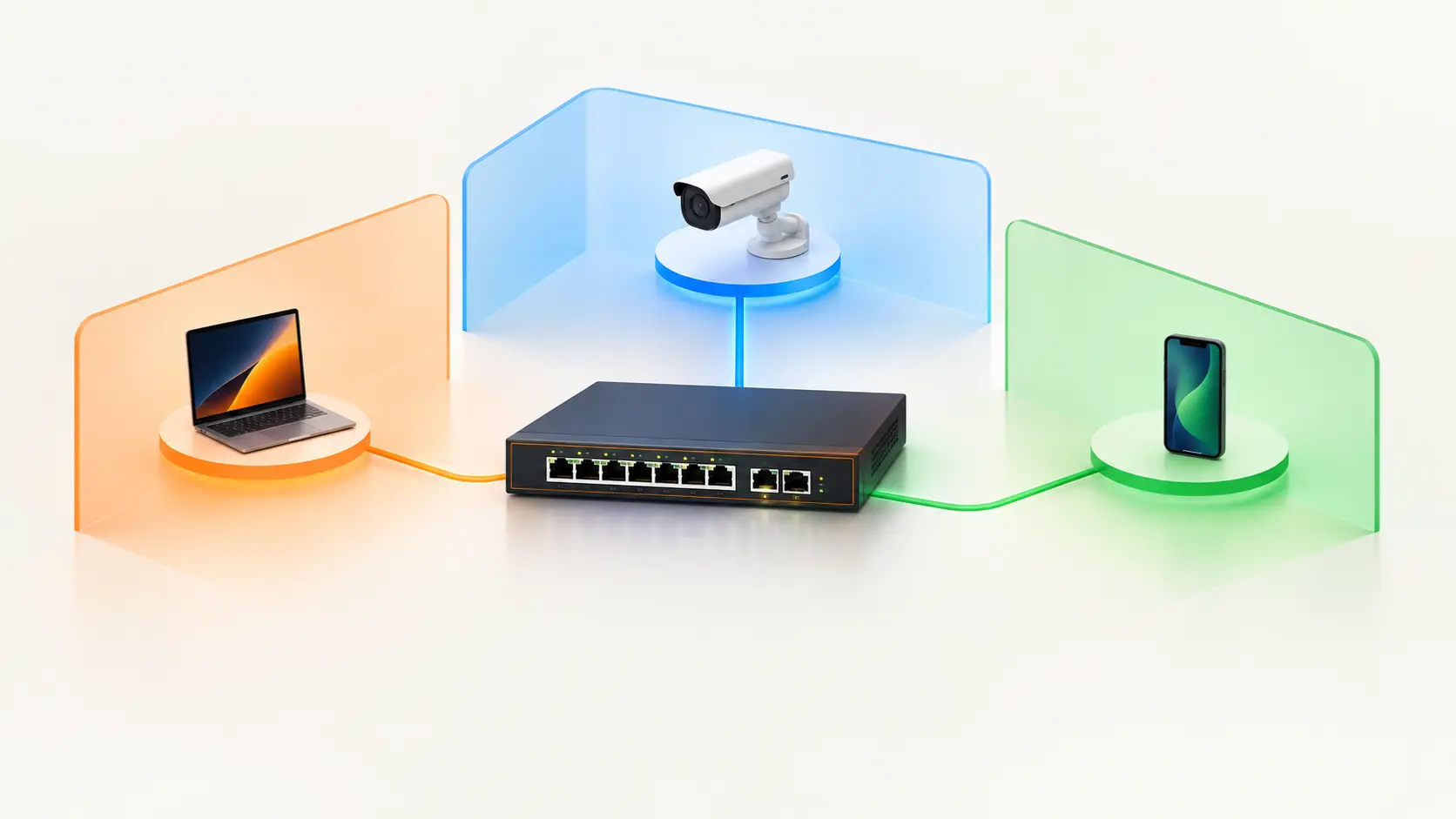
What is a VLAN, and does your business actually need one? A plain-language guide to network segmentation for offices, hotels, and CCTV setups.
"VLAN" appears on almost every managed switch spec sheet, usually with no explanation at all, and it's one of the most jargon-heavy terms in networking. That's a shame, because the underlying idea is genuinely simple, and for a lot of offices, hotels, and CCTV-heavy sites, it's one of the most practical security and performance upgrades available — often without needing to buy much beyond the switch itself.
Here's what a VLAN actually is, in plain language, and how to tell whether your business needs one.
What Is a VLAN? The "Walls and Doors" Explanation
Imagine a hotel where every guest, every staff member, and every CCTV camera shares one big open hall. Anyone could wander anywhere. A guest could walk right up to the reception computer. A camera feed could jam up because guests are all streaming video at the same moment.
A VLAN (Virtual Local Area Network) adds walls and doors to that hall. Guests get one private room. Office staff get another. Cameras get their own secure space. Everyone still has internet, and everything still runs on the same physical building (the same switches and cables) — but devices in one room genuinely can't see or reach devices in another, unless a door is deliberately opened between them.
Technically, a VLAN takes a single physical network and divides it into multiple isolated logical networks. Devices connected to the very same switch, through the very same cables, behave as if they're on completely separate networks. This separation happens inside the switch itself — which is exactly why you need a managed switch to do it, since only managed switches understand and enforce VLANs.
Why Would a Business Actually Want This?
Security containment. On a single, open network, every device automatically trusts every other device. If a guest connects a laptop infected with malware to your WiFi, it can scan the network and find your accounting computer, your file server, or your payment terminal. With VLANs, that same infected guest laptop sits on a guest VLAN with internet access only — it can't see anything else on your business network, so the damage stays contained to a section with nothing valuable in it.
Protecting CCTV systems, and protecting the network from them. IP cameras are notorious for weak default passwords and infrequent firmware updates. If a camera is compromised on a shared network, an attacker can use it as a stepping stone to reach everything else. Putting cameras on their own VLAN confines any compromise to the camera network alone.
Performance and reliability. Constant, heavy video traffic from CCTV cameras can congest a shared network. Isolating cameras onto their own VLAN prevents that traffic from slowing down your staff's day-to-day work, while also ensuring camera footage itself doesn't stutter because someone in the office started a large file transfer.
Call quality for VoIP phones. Voice traffic is time-sensitive — a delay of a fraction of a second is noticeable as a choppy call. A dedicated voice VLAN, especially combined with QoS prioritisation, keeps calls clear even when the rest of the network is busy.
The Four Segments Most Small Businesses Actually Need
You don't need dozens of VLANs. For most offices with 5-50 employees, four covers the real needs:
- Corporate — staff computers, laptops, printers, and internal business systems
- Guest WiFi — visitor devices, given internet access only, with no visibility into anything internal
- IoT / CCTV — security cameras, smart devices, access control systems, each isolated from the main business network
- Voice (VoIP) — office phones, kept separate to protect call quality
A hotel or hospitality property might add a fifth for point-of-sale or booking systems. A larger business might add management or server-specific segments. But those four form the practical baseline for a surprisingly wide range of small businesses.
Where a Managed Switch Comes In
A VLAN isn't something you switch on with a checkbox on a basic switch — it requires a switch that understands VLAN tags and lets you assign each port to a specific VLAN. That's precisely what a managed switch provides, and it's the practical reason someone would buy one over an unmanaged model.
Tenda's managed range covers this directly. The TEG3328F is a Layer 2 managed switch supporting VLANs and QoS, along with ONVIF-based camera discovery and device monitoring — a genuinely practical fit for the CCTV-isolation scenario described above. The TEG5328F adds Layer 3 routing, meaning it can also route traffic between VLANs directly at the switch when you deliberately want certain segments to communicate (say, letting your NVR at the corporate level access the camera VLAN), without sending that traffic out to a separate router first.
Do You Actually Need One?
If your office or property has any of the following, you already have a reason to use VLANs:
- Guest WiFi that visitors or customers connect to
- IP cameras or a CCTV system
- VoIP phones
- Smart or IoT devices (smart locks, thermostats, connected sensors)
- Payment or booking systems that shouldn't be reachable from a guest's phone
If you have none of those — a small home network with a handful of computers and a printer — a basic unmanaged switch is all you need, and VLANs would be unnecessary complexity. See our Managed vs Unmanaged Switch guide for a fuller comparison.
A Realistic Note on Setup Effort
VLANs aren't difficult in concept, but they do require deliberate planning — deciding which devices go in which segment, assigning ports correctly, and configuring which segments (if any) are allowed to communicate. A managed switch and an afternoon of planning can turn a flat, open office network into clean, isolated zones — but it's genuinely worth doing methodically rather than rushing, since a misconfigured VLAN can accidentally cut a device off from something it legitimately needs. For larger deployments, working with an installer or network professional for the initial design is a sensible investment.
Frequently Asked Questions
Can I create a VLAN on an unmanaged switch?
No — VLANs require a managed switch, since only managed switches can read VLAN tags and assign ports to specific VLANs. Unmanaged switches treat all connected devices as part of one network.
Do I need a VLAN just for guest WiFi?
Not strictly — many routers and access points offer a basic "guest network" feature that provides some isolation. But on networks with multiple access points, a proper VLAN is the more reliable approach, since it allows guests to roam seamlessly between access points without dropping their connection.
Should my CCTV cameras be on a separate VLAN?
It's widely considered good practice. Isolating cameras confines any compromise to the camera network alone, and prevents heavy video traffic from congesting your main network. The main rule to apply is blocking cameras from initiating connections to your main network, while allowing your recorder to reach the camera feeds it needs.
What's the difference between a VLAN and a separate physical network?
A separate physical network means separate switches and cables entirely — more hardware and cost. A VLAN achieves the same logical separation using the same physical equipment, which is why it's such a cost-effective option for small and mid-sized businesses.
Do VLANs slow down my network?
No — properly configured VLANs typically improve performance by reducing unnecessary traffic broadcasting across the whole network, and by letting you prioritise time-sensitive traffic like voice calls.
Is a Layer 3 switch necessary for VLANs?
No. A Layer 2 managed switch (like the TEG3328F) can create and manage VLANs on its own. Layer 3 capability (like the TEG5328F) becomes valuable specifically when you want traffic to be routed between VLANs directly at the switch, rather than through a separate router.
VLANs are one of the most practical, cost-effective ways to make a business network both safer and more reliable — but they need the right switch to work. Browse Tenda's managed network switches to find the right fit for your network.